

ezyRTS Desktop
Cooling load software using the ASHRAE RTS method. Import PDF or DXF drawings, calculate many rooms in one project, and work fully offline on your own computer.
Windows 10 / 11 (64-bit)
฿13,000/ 1 year · incl. VAT
No refunds after purchase · Try free before you decide
Details
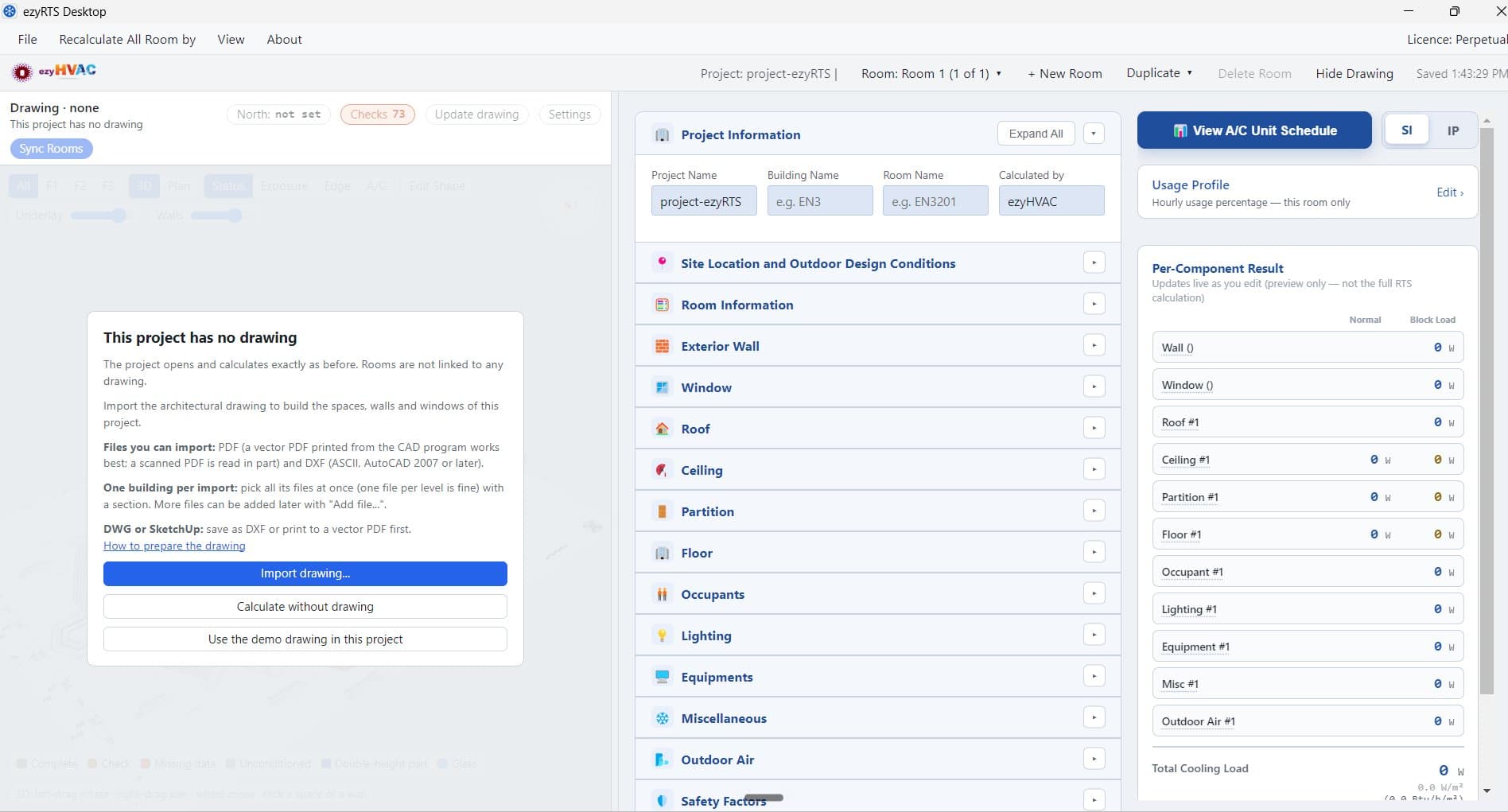
ezyRTS Desktop is cooling load software for HVAC design, using the Radiant Time Series (RTS) method from the ASHRAE Handbook—Fundamentals. Built on the free ezyRTS web tool, it lets you handle a whole project in one program.
From drawing to cooling load
Import architectural drawings as PDF or DXF, several files at a time. The program reads walls, rooms, windows, north and levels, then creates the rooms and their areas for you to check and adjust. View the building in 3D.
Calculated to the standard
Weather data for cities worldwide, hourly usage profiles, and ventilation by regulation, ASHRAE 62.1 or ASHRAE 170 for health care, with the room type picked from the room name. U-factors for walls, roofs and glass are calculated from material layers.
Results ready to use
Hourly results for all 12 months, the block load for the whole building and a psychrometric chart. Export PDF reports and the A/C unit schedule to Excel.
Work anywhere
Installs on Windows and runs fully offline. Projects save automatically and reopen any time.
The program interface is in English. Try every feature free for 7 days before you buy.
Features
- RTS method from the ASHRAE Handbook—Fundamentals
- Weather data for cities worldwide
- Import PDF and DXF drawings; walls, rooms, windows and levels are read automatically
- 3D view of the building
- Many rooms and floors in one project; duplicate a room or a whole floor
- Ventilation by regulation, ASHRAE 62.1 or ASHRAE 170, with the room type picked from the room name
- U-factor calculator from material layers, with custom materials
- Hourly results for all 12 months, block load and psychrometric chart
- Export PDF reports and the A/C unit schedule to Excel
- Switch between SI and I-P units; projects save automatically
Download and try
Version 2.0.0
14 Oct 2026 · 88 MB
Download installerSHA-256 checksum
bb3af6d3c1b0d6fc950a071fc372f43c2623d52a26915b6b7d95bfbfe83527b5Compare to confirm the file you received is genuine and unaltered.
How to start your 7-day free trial
- 1Download and install the program
- 2Open the program and click “Try”
- 3Sign in and add a card (you won't be charged)
- 4Get the trial licence by email and load it into the program
Seeing a blue screen during installation? Follow these steps
This blue screen is a Windows safety feature shown for programs Windows doesn't recognise yet. It doesn't mean the file has a virus. ezyRTS Desktop is safe when downloaded from ezyhvac.com only.
- 1
Download the file
Click the download button. You'll get a file named ezyRTS-Desktop-Setup-2.0.0.exe.
- 2
If your browser says the file isn't commonly downloaded
Microsoft Edge: click … → Keep → Show more → Keep anyway Google Chrome: click Keep
- 3
Open the installer
Double-click the file. A blue screen “Windows protected your PC” appears.
- 4
Click “More info”
- 5
Check the file name, then click “Run anyway”
The App field must read ezyRTS-Desktop-Setup-2.0.0.exe.
- 6
Finish the installation and open the program
⚠️ If the file name in step 5 doesn't match, or you got the file from anywhere other than ezyhvac.com, don't click Run anyway — contact us instead.